

Content per schedule
One banner at a time. Each banner you schedule has its own Start date and End date, and the block shows the one that’s live now. See When content goes live.What you schedule in Block Hero
On the block’s page, click Schedule content. The Schedule Media Banner content form has these fields. Content Name, Desktop Image and Mobile Image are required.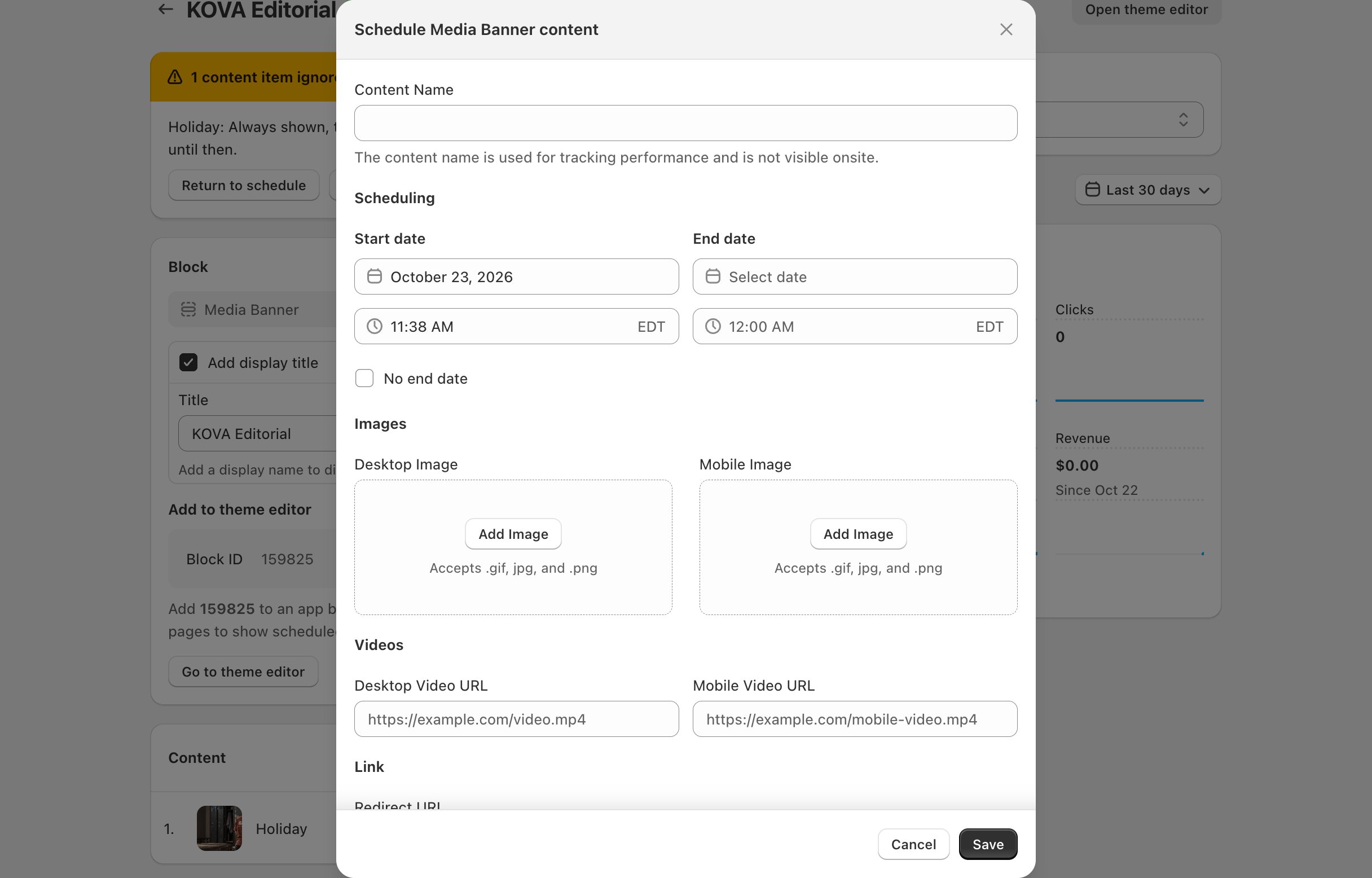
How videos play
- Videos start on their own, with no sound, and loop. On phones they play in the page, not full screen.
- The desktop video plays on screens 750 pixels wide or more, and the mobile video on narrower screens.
- With only a desktop video, phones show the Mobile Image. With only a mobile video, desktop shows the Desktop Image.
- Before a video plays, the image for that screen shows in its place: the Desktop Image on desktop, the Mobile Image on phones.
- Use an .mp4 file.
What you set in the theme editor
Everything else follows your theme’s styling.
If the block shows a message in the theme editor
Media Banner shows these messages in the theme editor only. Shoppers see nothing in that spot.Related
Add a block to your theme
Copy the Block ID and add the block in the theme editor.
Create a schedule
Choose what the banner shows and when.